

How to test in-app purchases locally using StoreKit
A practical guide to simulating in-app purchases and subscriptions in Xcode.
08 Apr 2026 · 6 min read


When working with in-app purchases, testing different purchase scenarios is an important part of development. This includes handling successful transactions, failures, and subscription renewals.
StoreKit provides a local testing environment that allows us to simulate in-app purchases during development. This makes it possible to test purchase flows, subscriptions, and edge cases without connecting to App Store Connect.
In this article, we'll look at how to set up StoreKit testing and how to use it effectively during development.
Let's dive in.


Overview
To test in-app purchases locally, we need to:
- Create and configure a StoreKit configuration file
- Enable StoreKit testing in Xcode
- Simulate purchases and manage transactions
Before going through the setup, it helps to understand what the configuration file represents.
Understanding StoreKit configuration files
A StoreKit configuration file (.storekit) defines the products and subscription behavior we want to simulate locally.
Instead of communicating with the App Store, StoreKit reads this configuration and returns simulated responses. This allows us to test purchase flows in a controlled and predictable environment.
Xcode supports two types of configuration files:
- Local configuration: Defined entirely in Xcode. Useful when setting up products for the first time or testing new scenarios.
- Synced configuration: Linked to App Store Connect. Reflects the products configured for an existing app.
The key difference is that local configurations are fully editable, while synced configurations mirror App Store Connect and cannot be modified directly.
Creating a StoreKit configuration file
To create a configuration file, Xcode provides a built-in template.
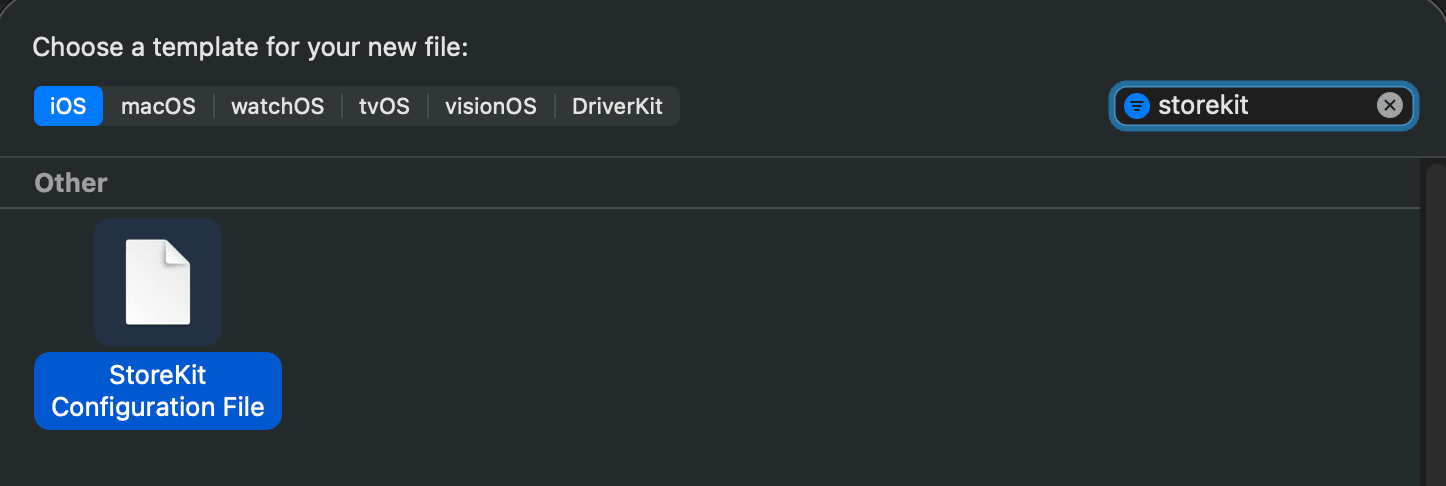
When naming the configuration file, it can be helpful to use a descriptive name such as StoreKitConfigurationLocal.storekit, especially if multiple configurations are used.
After creating the file, we can start defining products.
Configuring a local StoreKit file
In a local configuration file, we can manually add products and define their behavior.
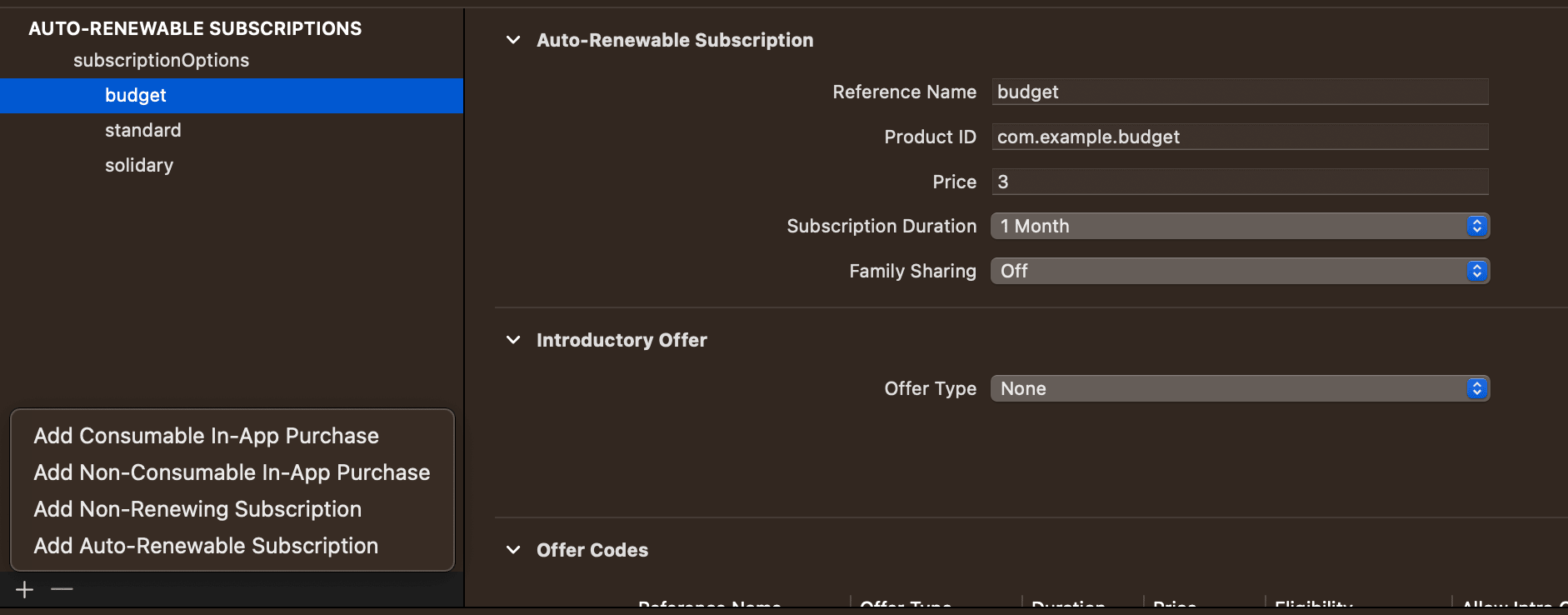
Using the + button, we can add consumables, non-consumables, auto-renewable subscriptions and non-renewing subscriptions.
For each product, we can define the product identifier, pricing and subscription duration if applicable.
This allows us to simulate realistic purchase scenarios.
Configuring a synced StoreKit file
If products are already set up in App Store Connect, we can create a synced configuration file.
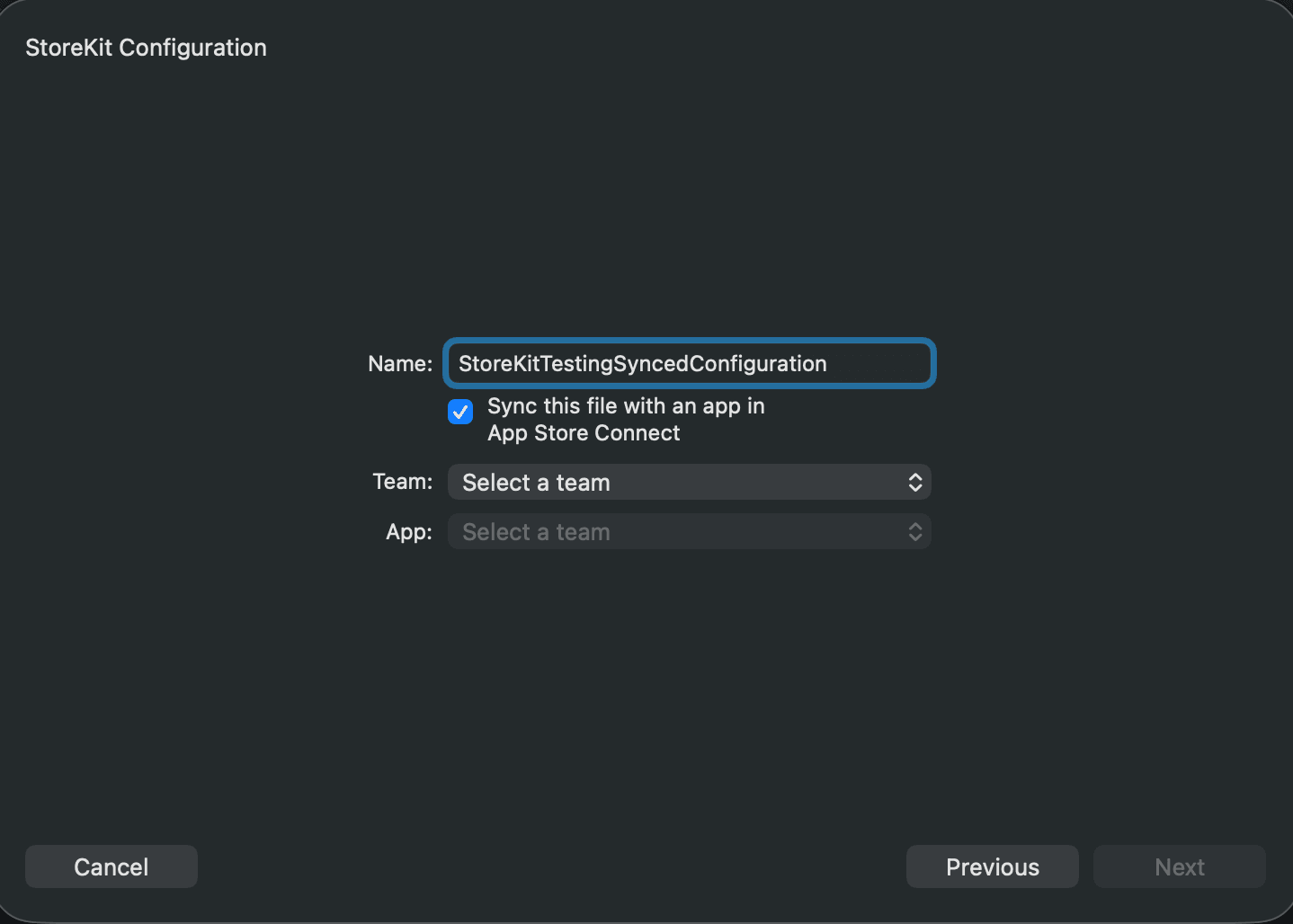
During creation, we select the app and team to sync with. Xcode then mirrors the existing configuration.
Synced files are useful for testing production setups, but they cannot be edited directly. If needed, we can convert them into local configurations.
Enabling StoreKit testing in Xcode
Once the configuration file is ready, we need to attach it to our app.
StoreKit testing is enabled through the current scheme. In the scheme editor, we select the configuration file:
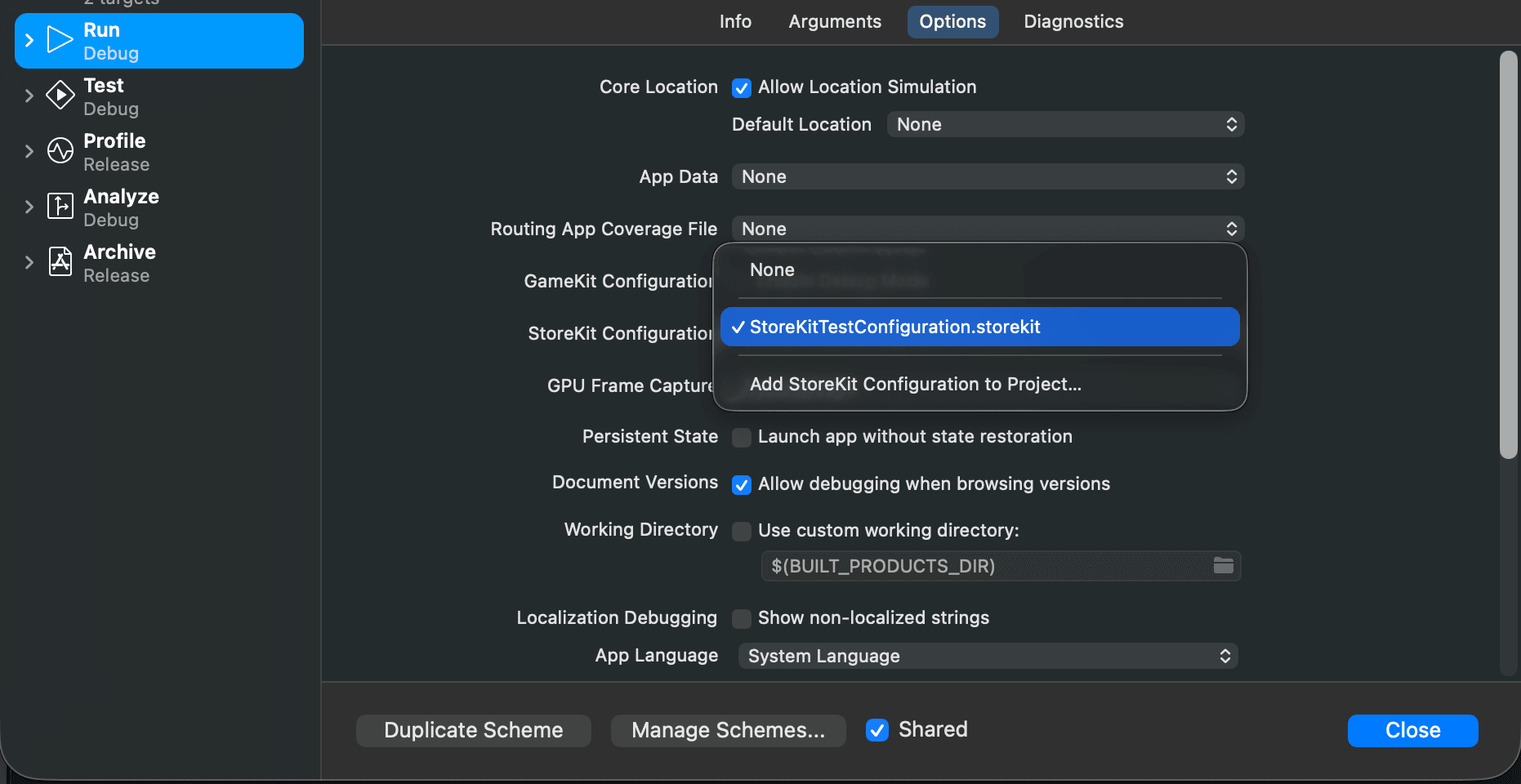
From this point on, all StoreKit requests are resolved using the selected configuration file instead of the App Store.
If we want to disable local testing, we can set the configuration back to None.
Testing purchase flows
With StoreKit testing enabled, we can trigger purchases directly in the app.
From our code’s perspective, nothing changes. StoreKit behaves as if it were communicating with the App Store, but responses are generated locally.
This allows us to test successful purchases, failed transactions, subscription renewals, expired subscriptions and more. Because everything runs locally, tests are fast and repeatable.
Managing transactions
Xcode provides tools to inspect and control transactions during testing.
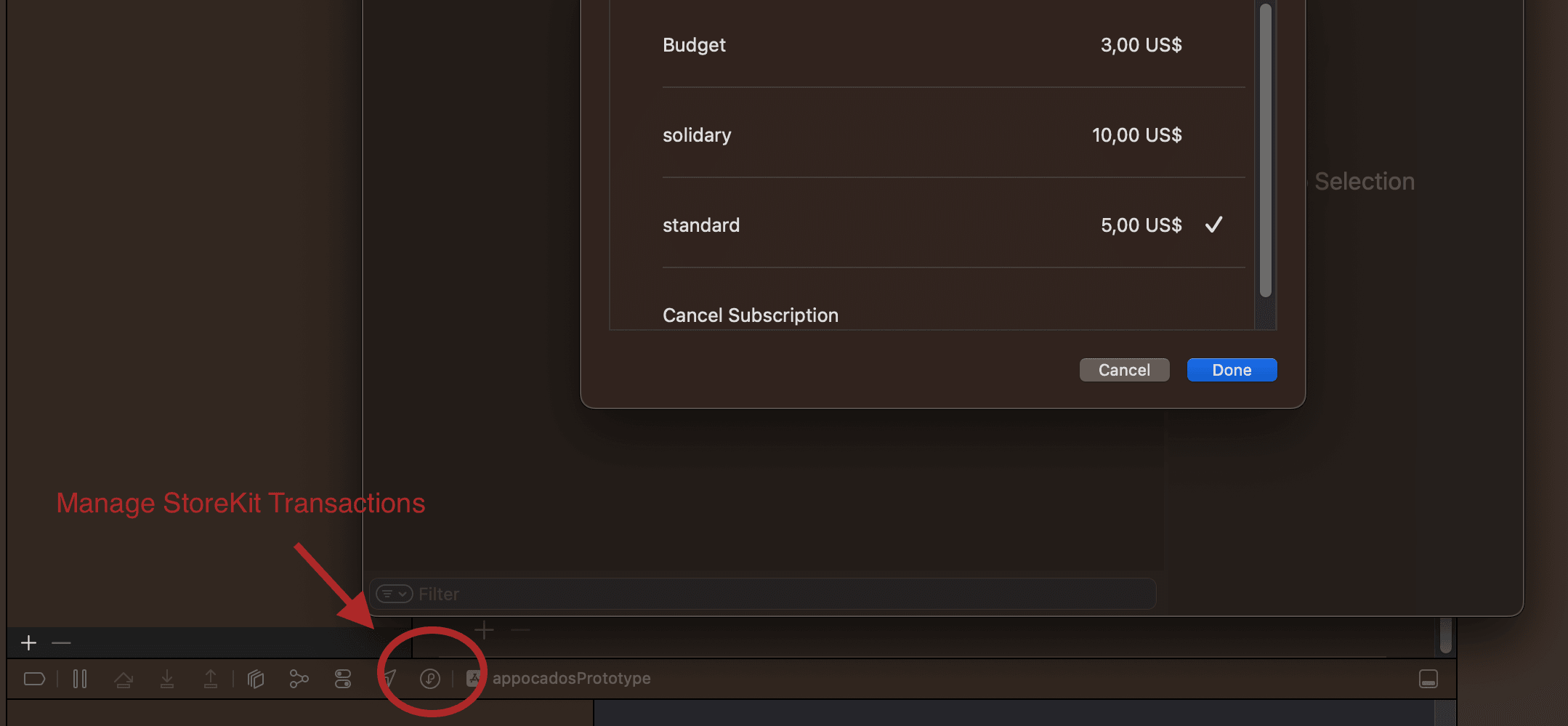
We can open the transaction manager from the bottom toolbar when the configuration file is open or via Debug → StoreKit → Manage Transactions in Xcode's menu.
From here, we can reset purchases, simulate refunds, test subscription renewals or cancellations. This makes it possible to reproduce edge cases that are difficult to test using the App Store sandbox.
Conclusion
StoreKit testing allows us to simulate in-app purchases directly in Xcode without relying on external systems.
By defining products in a configuration file and attaching it to our app, we can test purchase flows quickly, reproduce edge cases, and significantly reduce the feedback loop during development.
Once this setup is in place, working with in-app purchases becomes fast and predictable. Before releasing an app, it is still important to test against the App Store sandbox to validate real-world behavior.


Newsletter


Like to support my work?


Say hi
Related tags
Articles with related topics
Latest articles and tips